
Welcome to Tapicker v5.20.20! This update adds new cursor and drag interactions, makes it easier for external tools and AI agents to control Tapicker, and brings a more powerful template and variable editing experience.
- Added the Move Cursor block
- Added the Drag Element block
- Allow external tools and AI agents control Tapicker
- Added experimental Shadow DOM support
- Added new template functions
- Improved variable and code input
- Added Date data type support
- Renamed Recipe to Workflow
- Rebuilt the variable template engine
- Breaking changes
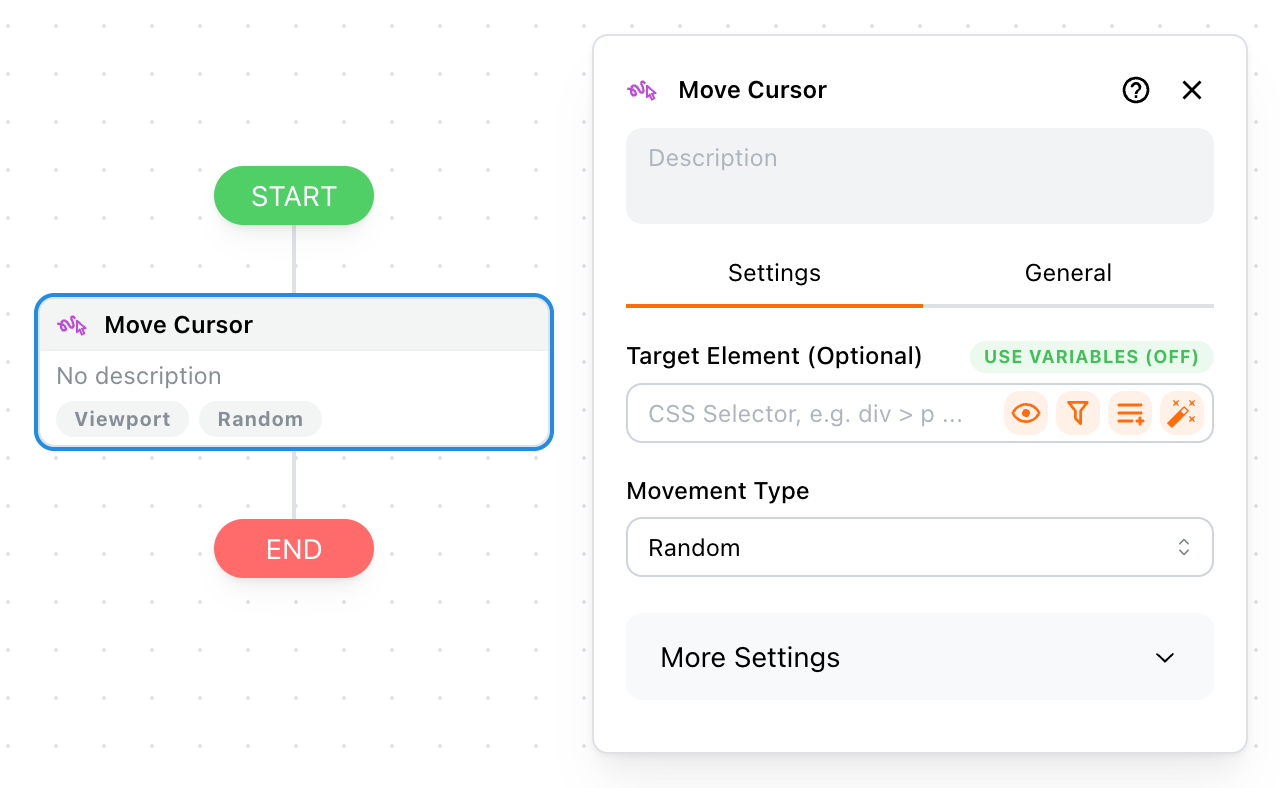
Added the Move Cursor block
You can now use Move Cursor to simulate mouse movement in the current Workflow tab. Choose a random path or provide a custom path with one or two coordinates. A target element is optional: when provided, the destination is constrained to the visible part of that element; otherwise, the cursor moves within the page viewport.
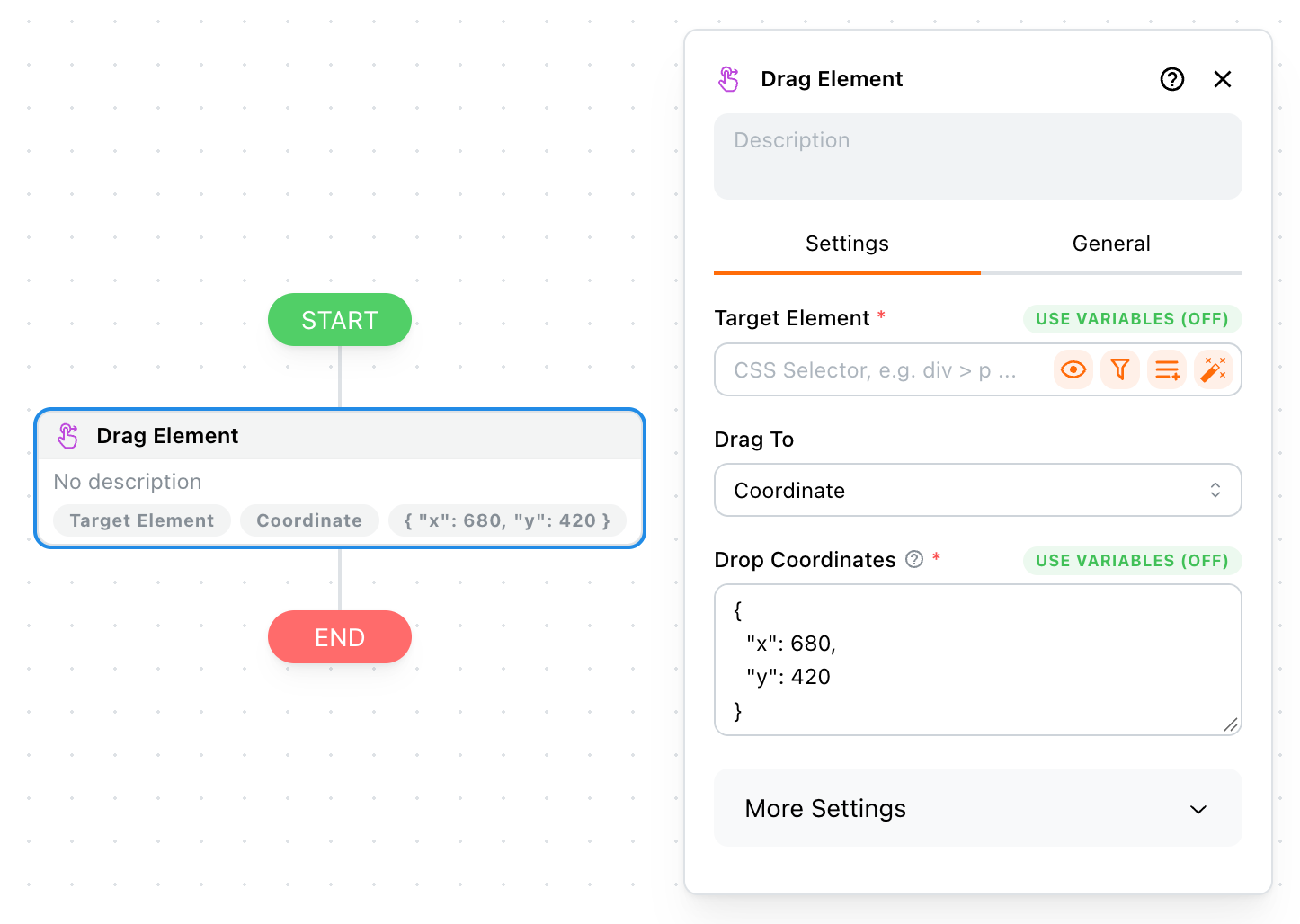
Added the Drag Element block
Drag Element lets you drag a source element to a viewport coordinate or drop it onto another visible element in the same frame. It supports both Script and Debugger modes, so you can use synthetic events or browser-level input when a page requires native drag-and-drop behavior.
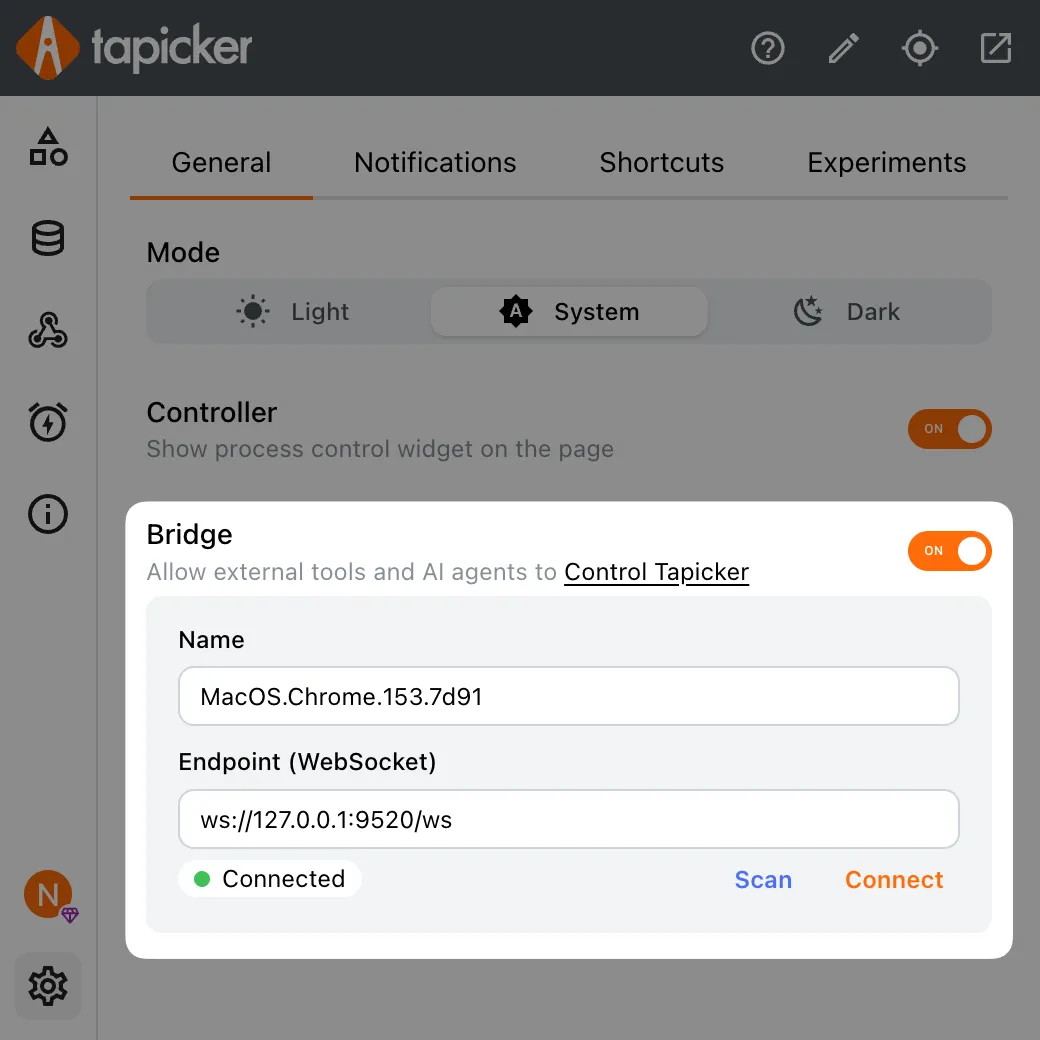
Allow external tools and AI agents control Tapicker
With @tapicker/bridge, an external program or AI agent can connect to a Tapicker Extension. It can start, pause, resume, and stop Workflows, read or delete extracted data, and receive Workflow status updates. For more information, see Tapicker Bridge.
Added experimental Shadow DOM support
We've added an experimental Shadow DOM setting that always keeps Shadow DOM open. This allows Tapicker to extract data from, hover over, and click elements inside closed Shadow DOM roots. Enable this setting only when you need to access closed Shadow DOM; keep it disabled otherwise.
Added toDataURL to Transforms and Pipeline Functions
toDataURL converts an image URL into a self-contained Data URL. After conversion, Tapicker can reuse the image data without requesting the original image URL again. It is now available as both a Transform and a Pipeline Function.
Added getValueType to Helper Functions
getValueType(value) returns the normalized type of a value, making it easier to inspect values and debug workflows. See Helper Functions for details.
Inspector now shows live cursor coordinates
Inspector now displays the current cursor coordinates in real time. This makes it easier to identify coordinates for the Move Cursor and Drag Element blocks.
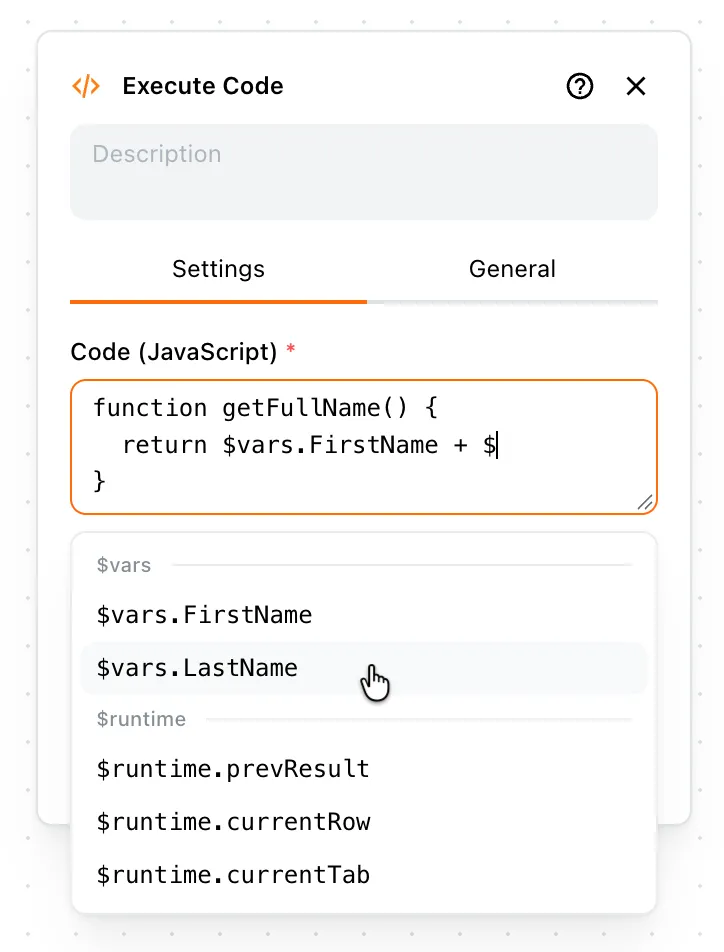
CodeInput now supports variable completion
While editing JavaScript in CodeInput, type $ to open the variable panel. Select a variable to insert it at the cursor.
Improved VariableInput component
We've also improved variable input fields to make expressions faster to write:
- Type
{{to open the variable panel, then select a variable to complete the expression automatically. - Type
$to open the variable panel, then select a variable to insert it. - Type
@to open the helper function panel, then select a helper function to insert it. - Type
|to open the pipeline function panel, then select a pipeline function to insert it. - Press
Escto close the panel.
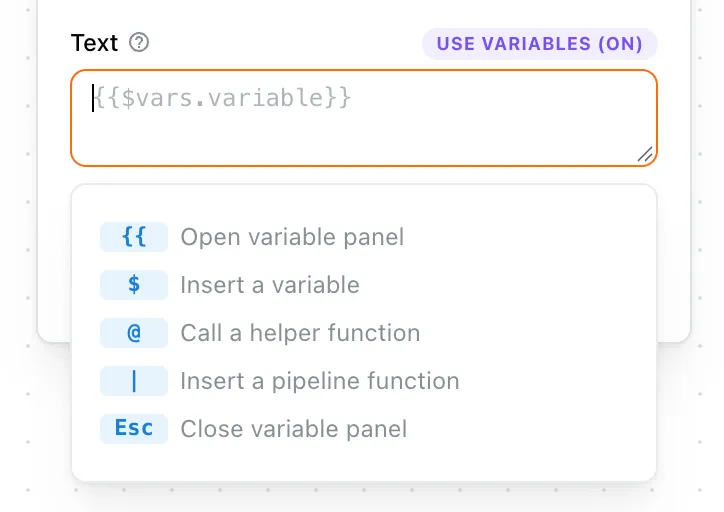
Place the cursor on an existing variable or function to open its corresponding panel and quickly switch to another one.
Added Date data type support
Set Arguments, Set Variables, and Extract Data now support the Date data type. Date values are also supported when exporting data to XLSX or writing it to Google Sheets.
Renamed Recipe to Workflow
Tapicker now uses Workflow consistently instead of Recipe. Workflow is a more direct term and makes it clearer what Tapicker creates and runs.
Rebuilt the variable template engine
We rebuilt the variable template engine to make expressions easier to use and the runtime more capable. Most existing workflows are migrated automatically, but this release includes breaking changes to template expressions. If a workflow behaves unexpectedly after upgrading, review the changes below.
Breaking changes
Most changes are related to template expressions. Existing workflow data is migrated automatically in most cases, but some expressions may still require manual updates.
- Renamed the
Run Recipeblock toRun Workflow. - Moved runtime variables to
$runtime:@vars.$prevResult→$runtime.prevResult@vars.$filename→$runtime.filename@vars.$extension→$runtime.extension@vars.$row→$runtime.currentRow
- Changed the namespace prefix in expressions from
@to$, for example,@vars.foo→$vars.foo. - Removed the
$prefix from loop fields:{{$loops.name.$index}}→{{$loops.name.index}}and{{$loops.name.$value}}→{{$loops.name.value}}. - Removed the
$prefix from table fields:{{$tables.name.$size}}→{{$tables.name.size}}and{{$tables.name.$rows}}→{{$tables.name.rows}}. - Removed the
@funcs.prefix from helper function calls in template expressions, for example,@funcs.getPageURL()→getPageURL(). - Array access now uses brackets:
{{$tables.T668.rows.0}}→{{$tables.T668.rows[0]}}. - Nested expressions now use brackets:
{{$vars.obj.{{$vars.key}}.value}}→{{$vars.obj[$vars.key].value}}. - Use the
sizepipeline function instead of.length:{{$vars.items.length}}→{{$vars.items|size}}. - Arithmetic pipeline functions are no longer supported. Use operators instead:
{{$vars.num|add(1)}}→{{$vars.num + 1}}{{$vars.num|sub(1)}}→{{$vars.num - 1}}{{$vars.num|mul(1)}}→{{$vars.num * 1}}{{$vars.num|div(1)}}→{{$vars.num / 1}}
- Use
appendinstead ofpush:{{$vars.items|push('abc')}}→{{$vars.items|append('abc')}}. - Use
prependinstead ofunshift:{{$vars.items|unshift('abc')}}→{{$vars.items|prepend('abc')}}. - Use
encode('url')instead ofurlencode:{{$vars.string|urlencode}}→{{$vars.string|encode('url')}}. - Use
decode('url')instead ofurldecode:{{$vars.string|urldecode}}→{{$vars.string|decode('url')}}. - Use
sampleinstead ofrandom:{{$vars.items|random}}→{{$vars.items|sample}}.