
If you’re looking for a fast, reliable, and completely free way to Download TikTok Video No Watermark, Tapicker is one of the easiest tools you can use. With just a few clicks, Tapicker can automatically open your TikTok links, extract clean HD videos, and download them directly to your computer — all without watermarks.
In this guide, we’ll show you how to Download TikTok Video with Link, including multiple links at once, using Tapicker’s ready-to-use automation recipe.
👉 Click here to watch the video tutorial.
Why Use Tapicker to Download TikTok Videos?
Tapicker is a browser automation tool that lets you run workflows called “recipes”. One of the most popular community recipes, @Neo0x07/DownloadTikTokVideos, can quickly:
- Download TikTok videos without watermark
- Process multiple TikTok links at the same time
- Save videos and covers automatically
- Work directly in your browser (no software installation required)
- Complete each video in about 10 seconds
If you want a clean MP4 file for editing, reposting, research, or personal storage, Tapicker is a perfect solution.
Step-by-Step: How to Download TikTok Videos Without Watermark (Free)
Follow the steps below to start downloading TikTok videos instantly:
1. Install the Tapicker Extension (If You Haven’t Yet)
Tapicker is available in the Chrome Web Store and Edge Add-ons. Install it in one click and pin the icon to your browser toolbar for quick access.
2. Open Tapicker
Click the Tapicker extension icon to open the panel.
3. Go to the “Shared with Me” Tab
Inside the panel:
- Switch to Shared with Me
- Find the recipe named @Neo0x07/DownloadTikTokVideos
This is the automation that handles TikTok video downloading.
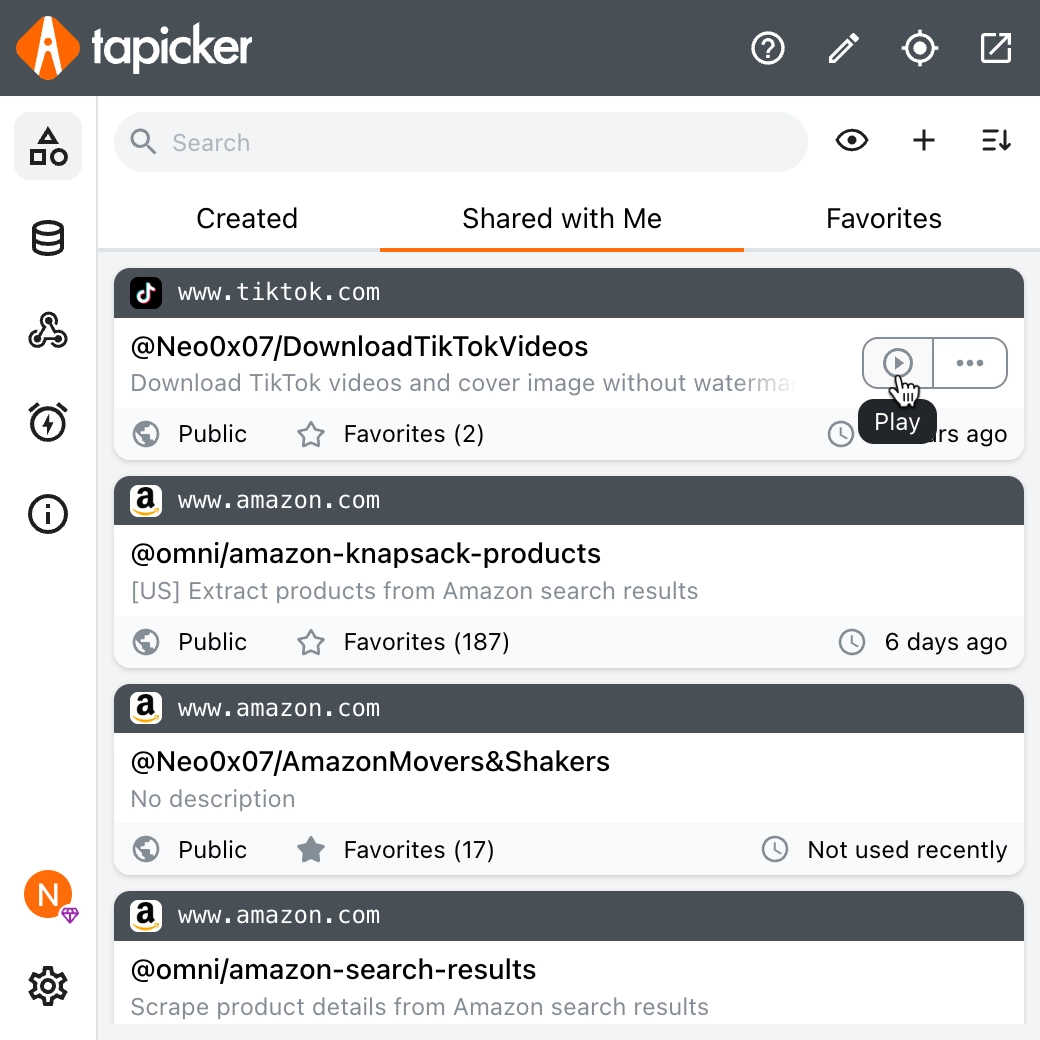
4. Click “Play” and Enter Your TikTok Links
Press Play to start.
A popup will appear — just paste the TikTok video URLs you want to download. You can enter multiple links, one per line. Example:
https://www.tiktok.com/@_jacquelineeb/video/7563731832257137950
https://www.tiktok.com/@flynn_and_mabel/video/7554478603623369986
https://www.tiktok.com/@artycraft_0/video/7410797769306246433
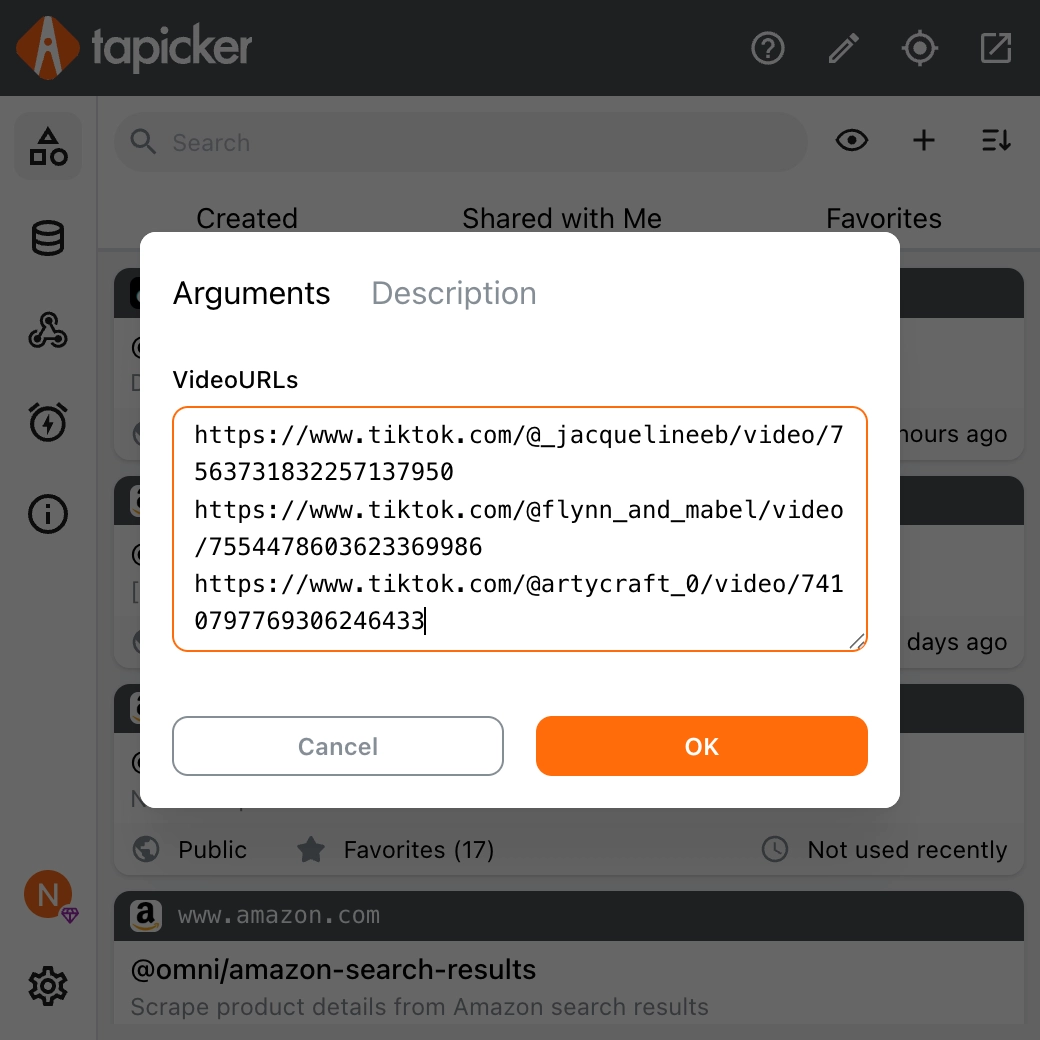
5. Click “OK” to Start
After confirming, Tapicker begins running automatically.
It will:
- Open each link one by one
- Extract the no-watermark HD video
- Download the video and cover image
- Move to the next link until all are finished
Everything is fully automated.
Fast & Reliable — About 10 Seconds Per Video
Tapicker uses real browser automation, so the result is exactly what you see on TikTok. No compression, no advertising pages, no API limits.
On average, each video takes around 10 seconds to complete.
What Files Will You Get?
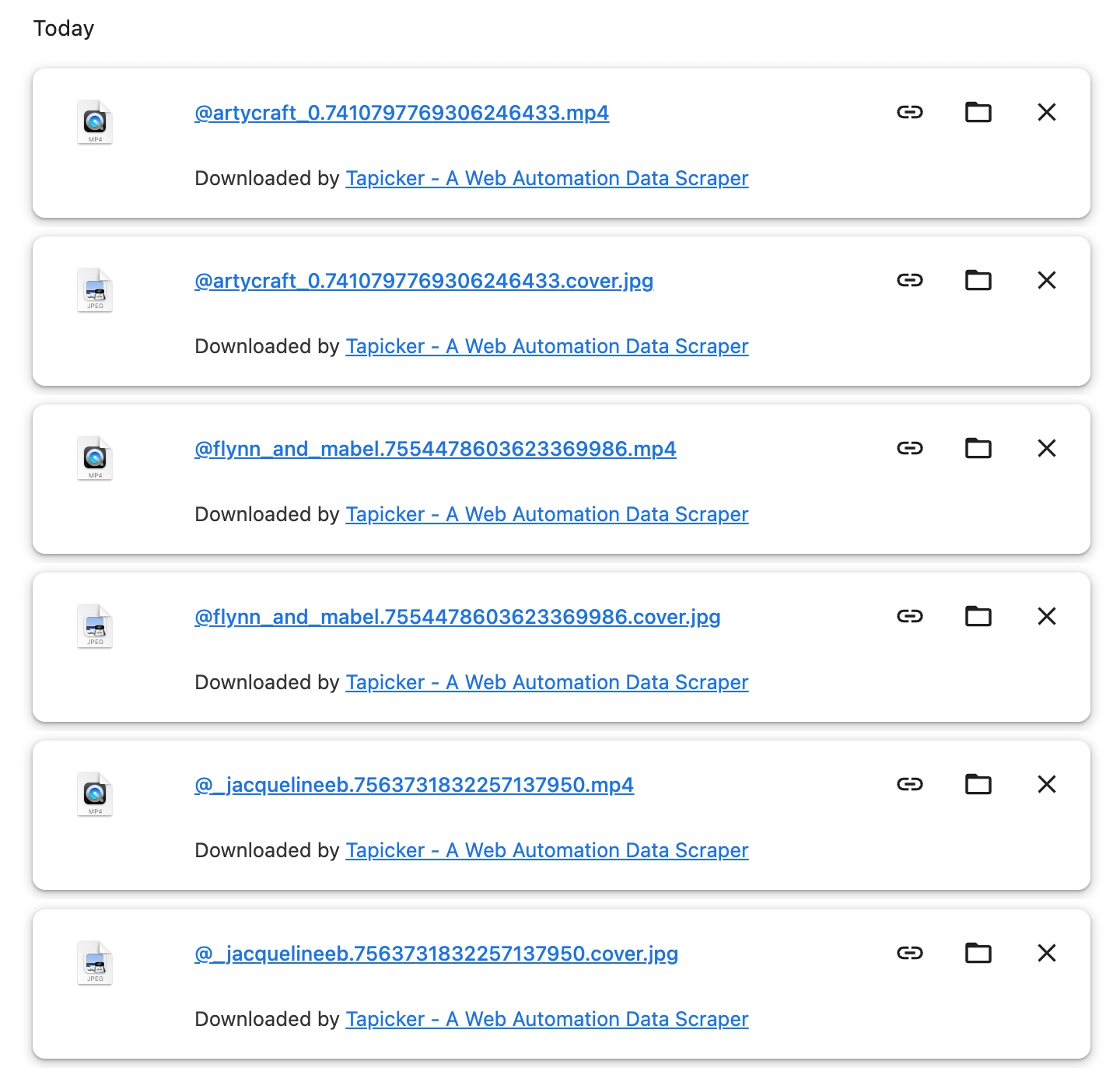
For every TikTok link, Tapicker saves two files to your computer:
- Cover image -
@username.video_id.cover.jpg - No-watermark MP4 video -
@username.video_id.mp4
Download TikTok Video No Watermark — Free, Fast, Unlimited
Whether you’re a creator, marketer, editor, or simply collecting videos you love, Tapicker gives you a quick, clean, and safe way to Download TikTok Video Free, watermark-free, using only a browser extension.
No ads.
No waiting time.
No pay required.
Just paste your links — Tapicker handles the rest.