If you have ever tried to manually copy YouTube comments, you already know how painful it can be. Scroll, copy, paste, repeat. Do it a few hundred times and suddenly you are questioning your life choices.
Whether you are a content creator, marketer, researcher, or just someone who loves data, YouTube comments are incredibly valuable. They show real audience opinions, trends, complaints, praise, and ideas that you cannot get from view counts alone.
In this guide, I will show you how to collect YouTube comments automatically using Tapicker, without writing any code, without complex setup, and without losing your sanity.
By the end of this article, you will know how to extract YouTube comments in bulk, scrape YouTube comments from multiple videos, and export everything into an Excel file in just a few clicks.
Why YouTube Comments Are Worth Collecting
Before jumping into the how, let us talk briefly about the why.
YouTube comments are one of the richest sources of user generated content on the internet. People are honest, emotional, and sometimes brutally direct. That makes comments perfect for many use cases.
Content creators use comments to understand what their audience likes or dislikes. Marketers analyze comments to spot product feedback and sentiment. Researchers look at comments to study trends, opinions, and behavior. Agencies scrape comments to monitor competitors and campaigns.
The problem is scale. One video might have thousands of comments. Ten videos might have tens of thousands. Copying them manually is not realistic.
This is where a YouTube comment scraper becomes extremely useful.
Common Ways to Extract YouTube Comments and Why They Fail
Many people start by trying the simplest approach.
They scroll down the comments section, select text, and copy it into a document. This works for about five minutes, until your wrist hurts and your browser freezes.
Others look for online tools that promise to scrape YouTube comments instantly. Some of them work, some do not. Many are limited, outdated, or require you to upload your data to unknown servers.
Then there are API based solutions. They are powerful but require programming knowledge, API keys, quotas, and time. Not ideal if you just want the data now.
Tapicker offers a different approach. It works directly in your browser, simulating real user behavior to collect data safely and efficiently.
What Is Tapicker and Why Use It
Tapicker is a browser automation extension designed for web data collection and repetitive tasks. Instead of relying on external servers or complex scripts, it runs workflows directly in your browser.
For collecting YouTube comments, Tapicker behaves like a real user. It opens the video page, scrolls automatically, loads comments, and extracts the data for you.
You do not need to write code. You do not need to install additional software. If you can copy and paste a link, you can use Tapicker.
That is exactly why it works so well as a YouTube comment scraper.
Step by Step Guide to Collect YouTube Comments
Let us walk through the exact process shown in the video tutorial.
Step 1: Copy the YouTube Video URL
First, open the YouTube video whose comments you want to collect.
Copy the video URL from the address bar. This is the only input you need.
If you want to collect comments from multiple videos, you can copy all their URLs. Tapicker supports batch processing, which means one link per line.
https://www.youtube.com/watch?v=9Ch4a6ffPZY
https://www.youtube.com/watch?v=4cQWJViybAQ
https://www.youtube.com/watch?v=stysNDEAqVA
Step 2: Open the Tapicker Browser Extension
Next, open the Tapicker extension in your browser.
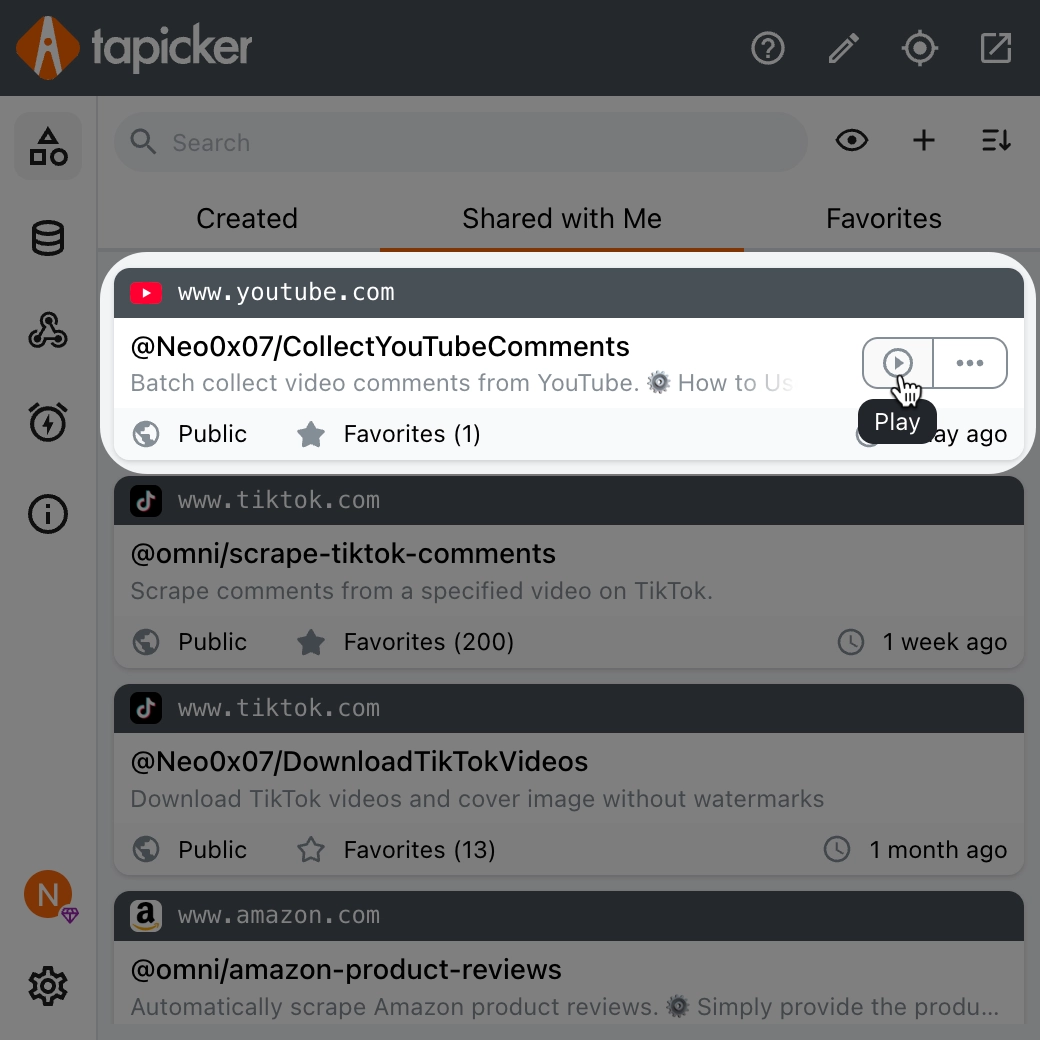
Inside Tapicker, you will find a pre built recipe designed specifically for collecting YouTube comments. Think of a recipe as an automation workflow that already knows what to do.
Select the recipe for YouTube comment collection.
Step 3: Paste the Video URL or URLs
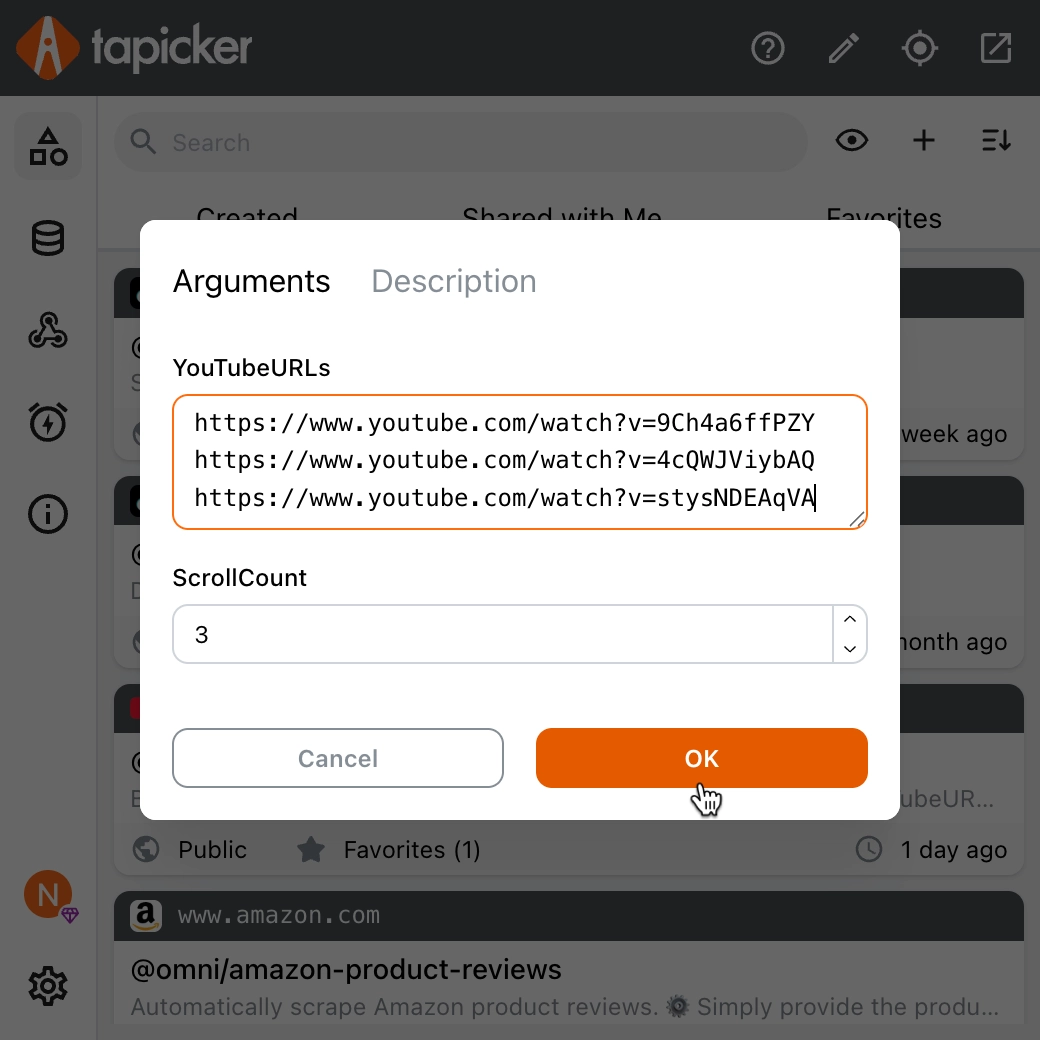
Paste the copied YouTube video URL into the YouTubeURL field.
If you have multiple videos, paste each URL on a separate line. Tapicker will process them one by one, in order.
This is especially useful if you want to scrape YouTube comments in bulk from an entire channel or campaign.
Step 4: Start the Automation
Click the "OK" button as shown in the image to start.
That is it! 💪
Tapicker will automatically open the video page, scroll down the comments section, and keep scrolling until all comments are loaded.
Additionally, you can set the value of ScrollCount to extract only a portion of the comments instead of all of them.
While it is running, you do not need to babysit it. You can do other work, grab a coffee, or just watch it do its thing.
Step 5: Review and Export the Data
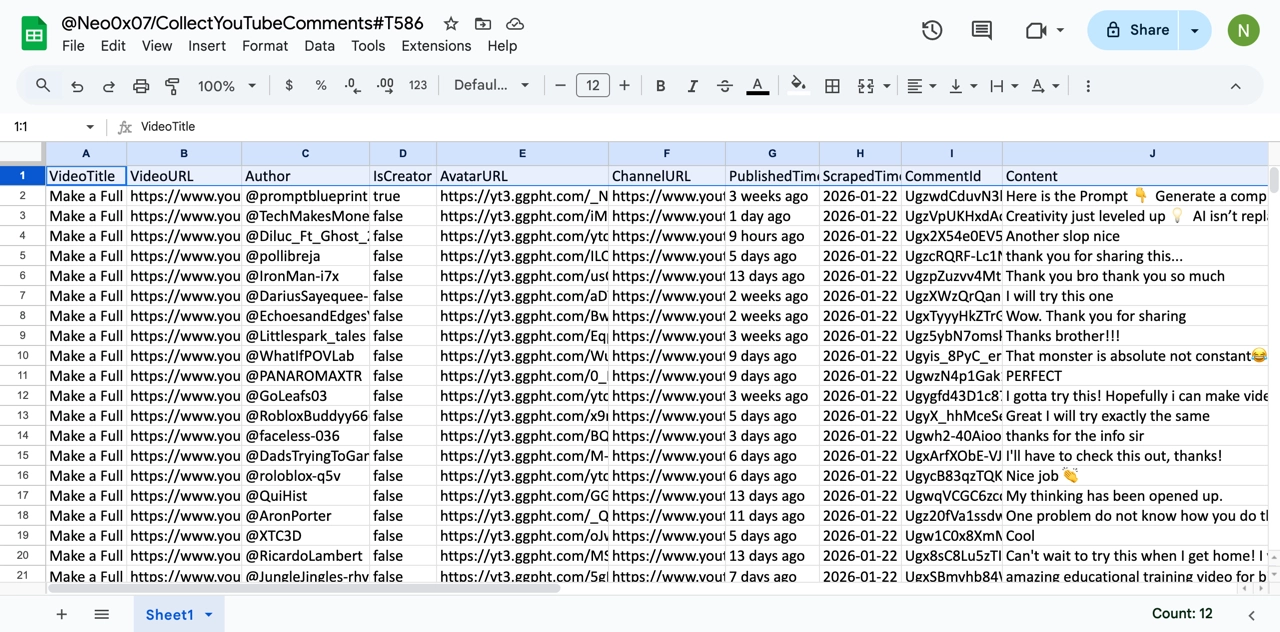
Once the process is complete, You can view the collected data in Tapicker's data center.
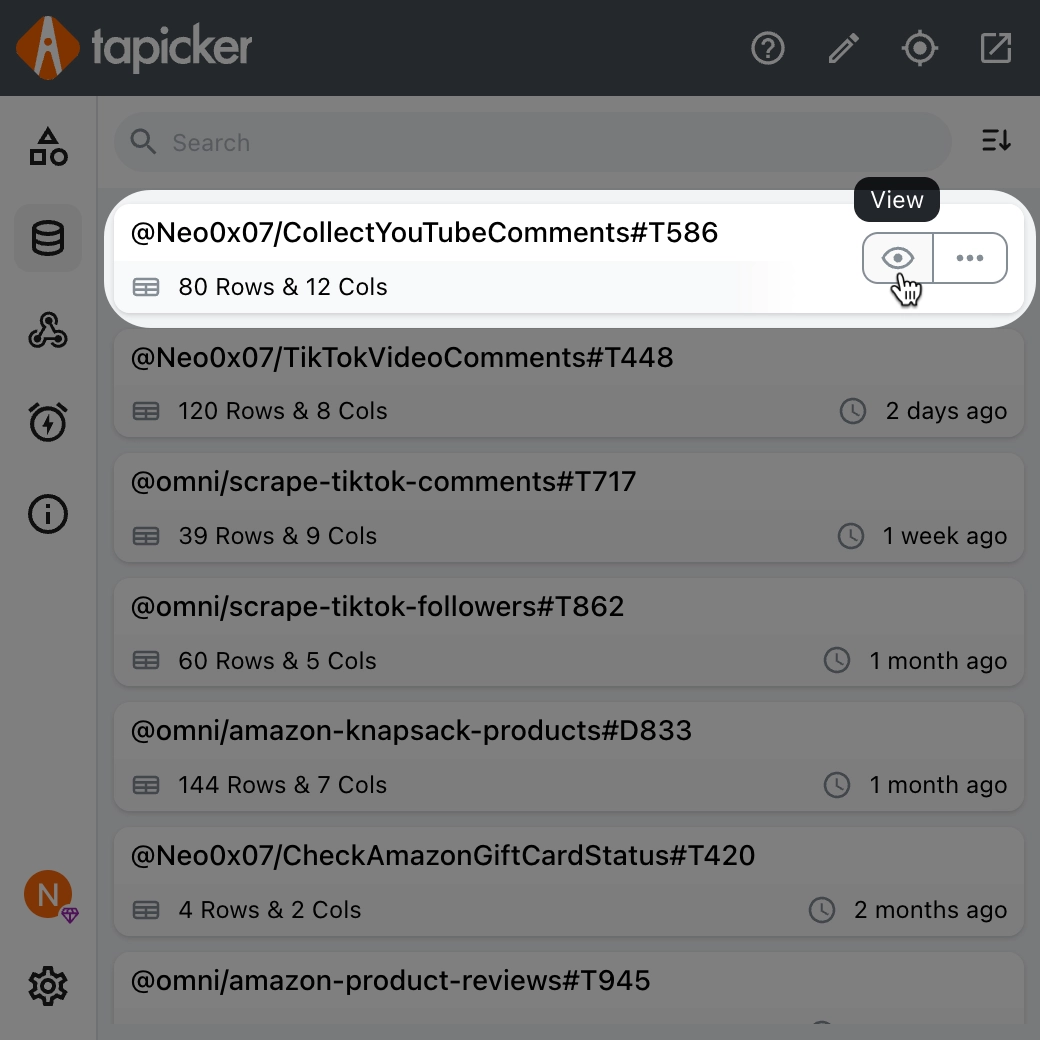
You will see that all comments have been extracted successfully. Depending on the recipe, this may include comment text, usernames, timestamps, likes, and more.
Finally, you can export the data as an Excel file. This makes it easy to analyze, sort, filter, or share with your team.
What Makes Tapicker a Reliable YouTube Comment Scraper
There are several reasons why Tapicker works especially well for collecting YouTube comments.
First, it uses real browser interactions. This reduces the risk of blocks compared to aggressive scraping methods.
Second, it supports batch processing. You can collect YouTube comments from multiple videos in one run.
Third, it outputs clean, structured data that is ready for Excel or further analysis.
Most importantly, it lowers the technical barrier. You do not need to be a developer to extract YouTube comments effectively.
Use Cases for Scraped YouTube Comments
Once you have the data, what can you do with it?
You can analyze audience sentiment to see how people react to specific videos. You can identify frequently asked questions and common complaints. You can find content ideas directly from what viewers are asking for.
Brands can monitor competitor videos and track customer feedback. Agencies can prepare reports without manual work. Researchers can build datasets quickly and consistently.
The value is not just in the comments themselves, but in the time saved by automating the process.
Best Practices When Scraping YouTube Comments
While Tapicker makes it easy, it is still important to follow some best practices.
Do not overload your browser with too many tasks at once. If you are collecting comments from hundreds of videos, consider splitting the job into smaller batches.
Make sure you are logged into YouTube normally, just like a regular user. This helps ensure smooth loading of comments.
Always respect platform terms and use the data responsibly. Scraping comments for analysis and research is very different from spamming or misuse.
Frequently Asked Questions
Is it legal to collect YouTube comments?
In general, YouTube comments are publicly visible data. Collecting them for analysis, research, or internal use is commonly accepted. However, you should always follow YouTube’s terms of service and local regulations, especially if you plan to redistribute or commercialize the data.
Can I scrape YouTube comments without coding?
Yes. Tapicker is designed specifically for non technical users. You do not need any programming knowledge to collect or extract YouTube comments.
How many comments can I collect from a video?
This depends on how many comments the video has and how long you let Tapicker scroll. In most cases, Tapicker can collect all available comments, including older ones that load dynamically.
Does Tapicker support multiple videos at once?
Yes. You can paste multiple video URLs, one per line. Tapicker will collect YouTube comments from each video sequentially.
Can I export the comments to Excel?
Absolutely. After the extraction is complete, you can export the collected data as an Excel file with one click.
Is Tapicker safer than online scraping tools?
Since Tapicker runs directly in your browser and does not require uploading data to third party servers, many users consider it safer and more transparent than unknown online tools.
Final Thoughts
Collecting YouTube comments does not have to be complicated, technical, or time consuming.
With Tapicker, you can collect YouTube comments, extract YouTube comments in bulk, and use a reliable YouTube comment scraper without writing a single line of code.
If you work with YouTube data regularly, automating comment collection is one of those small upgrades that saves you hours and pays off immediately.
Once you try it, you will never want to go back to manual copy and paste again.